
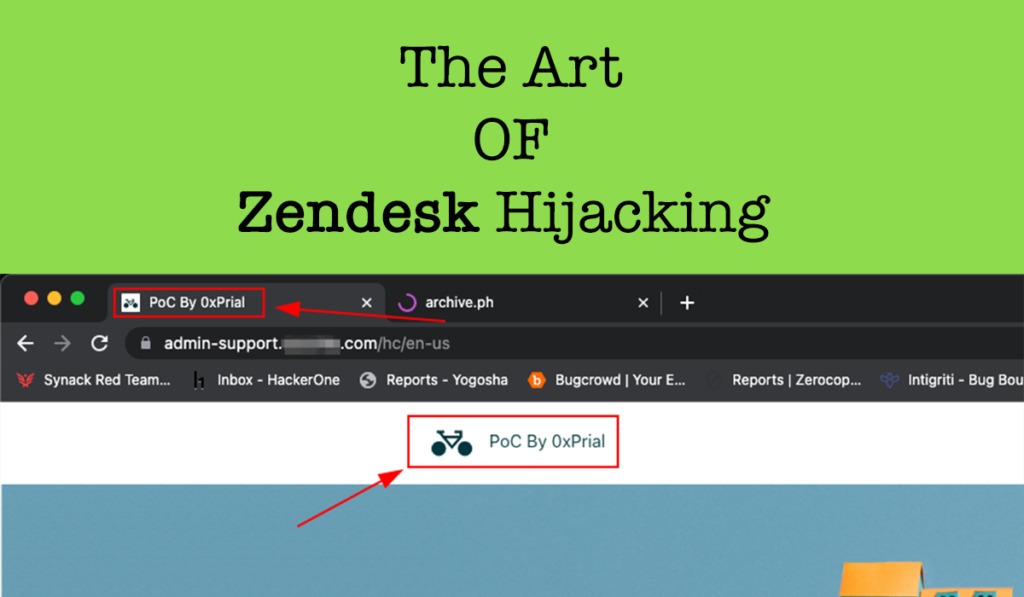
Back in July 2023, I was testing a HackerOne Private Program [ let’s call this target xyz.com ] and this target scope was pretty limited. The scope was –
- xyz.com
- admin.xyz.com
- api.xyz.com
The subdomain admin.xyz.com looks interesting and I quickly used search.censys.io to look for any beta or dev environment for this admin subdomain using the query admin*.xyz.com and the result was something like the below screenshot –
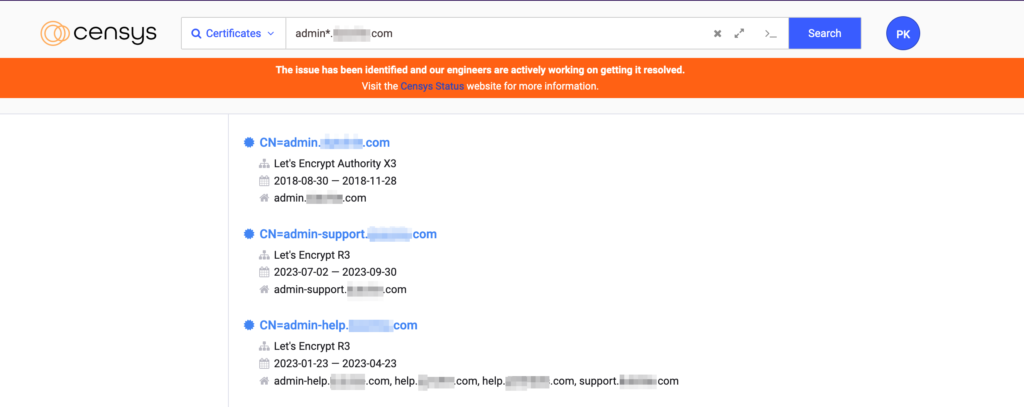
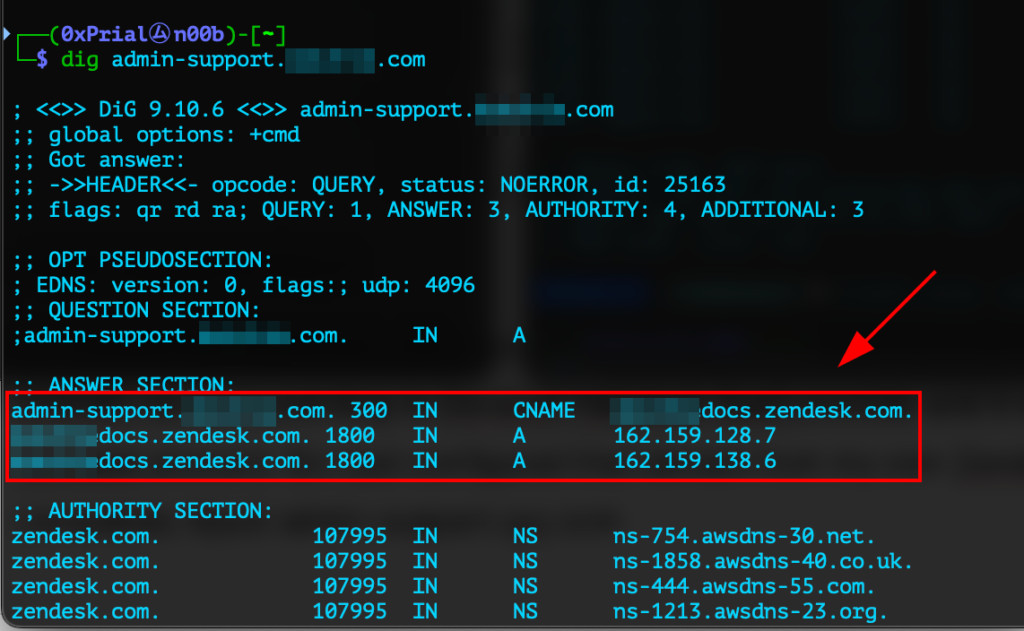
After a quick lookup of all listed subdomains, I discovered the following interesting things about the admin-support.xyz.com domain –
- The admin-support.xyz.com domain pointing to CNAME xyzdocs.zendesk.com
- Visiting http://admin-support.xyz.com and http://xyzdocs.zendesk.com gives the error
Bummer. It looks like the help center at xyzdocs.zendesk.com no longer exists.
So I just created a Zendesk account and claimed the same Zendesk URL xyzdocs.zendesk.com and from https://xyzdocs.zendesk.com/admin/account/appearance/branding added admin-support.xyz.com domain in Host mapping field. This allowed me to takeover the subdomain and post any content on the admin-support.xyz.com domain.
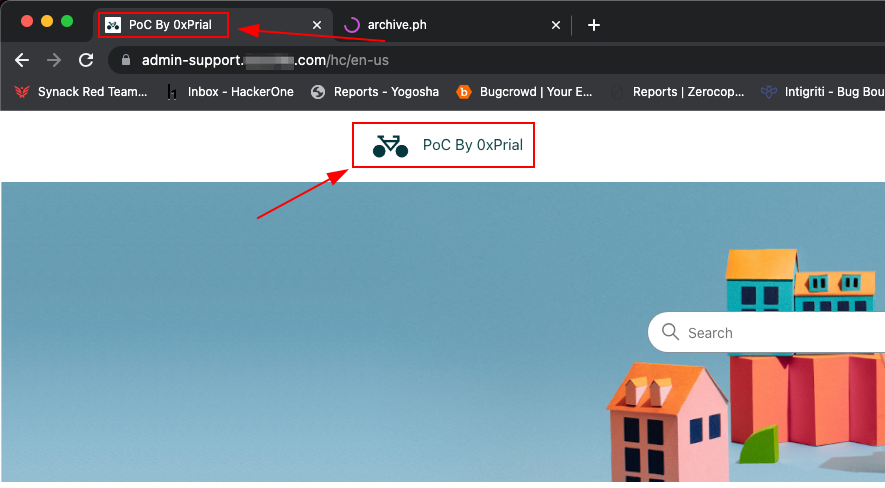
But still, this is not a scoped domain for the target, and reporting this in this state might lead to accepting this issue as a Medium severity finding.
So I started playing with Zendesk’s configurations and their helo documents and Forwarding Incoming Emails to Zendesk Support looks really interesting as this allows incoming emails for an already existing email to be connected Zendesk support desk. The requirement for this setup is –
- Add your external Email address in Zendesk so that Zendesk can verify the address and display it in outbound email.
- Email Forwarding enabled for an existing email like su*****@*yz.com to su*****@*************sk.com
So I navigated to Zendesk Admin Center => Channels => Talk and email => Email and did some configuration according to their articles and also enabled the option Accept wildcard emails as we will look for any existing email of our target <anything>@xyz.com forwarding setup pointing to the Zendesk email <anything>@xyzdocs.zendesk.com
When all the configuration was done I just started sending emails to commonly used email prefixes like he**@*yz.com, he******@*yz.com, su*****@*yz.com, etc.
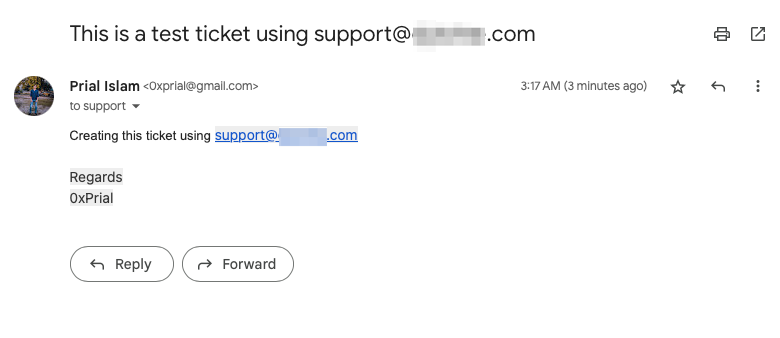
And boom, email forwarding for su*****@*yz.com was configured to my Zendesk URL and it created a support ticket in my Zendesk account.
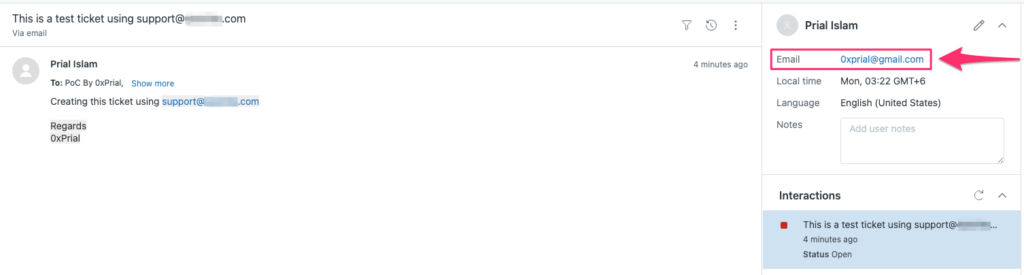
So any email to su*****@*yz.com will create a support ticket in my Zendesk account and after a few hours, my Zendesk account was flooded with active user’s support tickets including sensitive information like payment info, Invoices, and user’s confidential data.
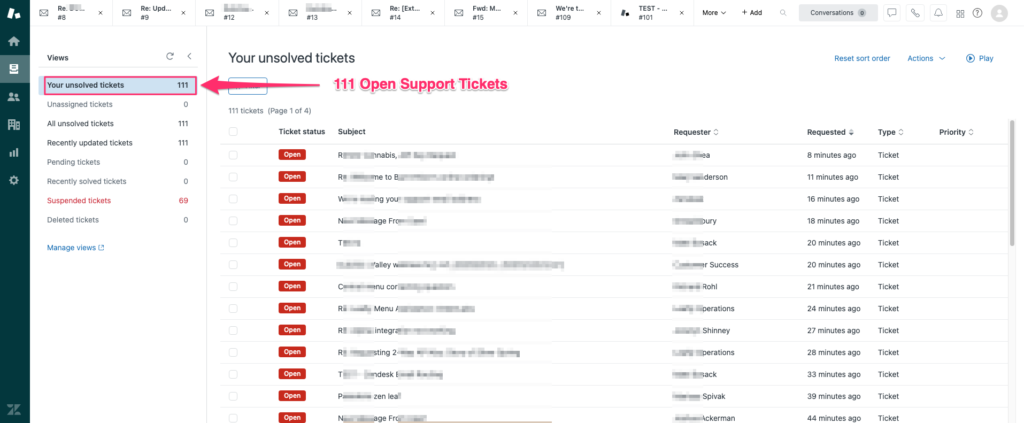
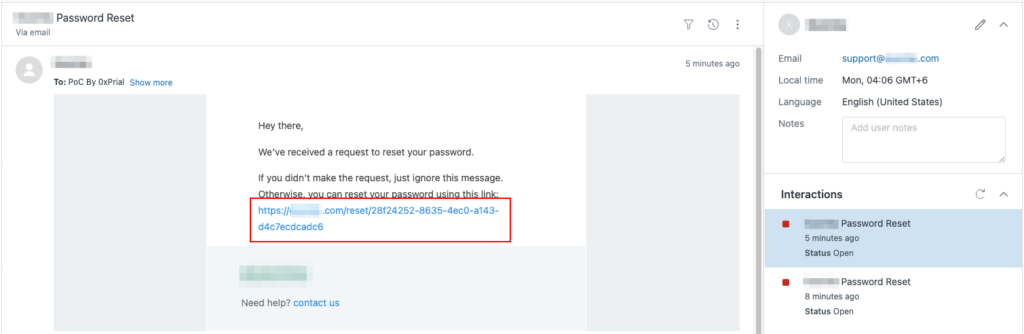
As we can see incoming emails from su*****@*yz.com let’s look at their login panels if there is any existing account using the su*****@*yz.com email. I started requesting password reset for their user login panel using su*****@*yz.com email and it created a support ticket in my Zendesk account with password reset link –
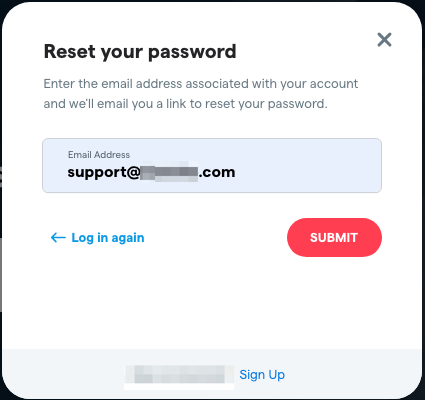
So now we have –
- Full control over https://admin-support.xyz.com Subdomain contents.
- Can see, manage, and reply to all active support tickets created over su*****@*yz.com.
- Can see incoming emails of su*****@*yz.com.
- Take over any account created with the su*****@*yz.com email.
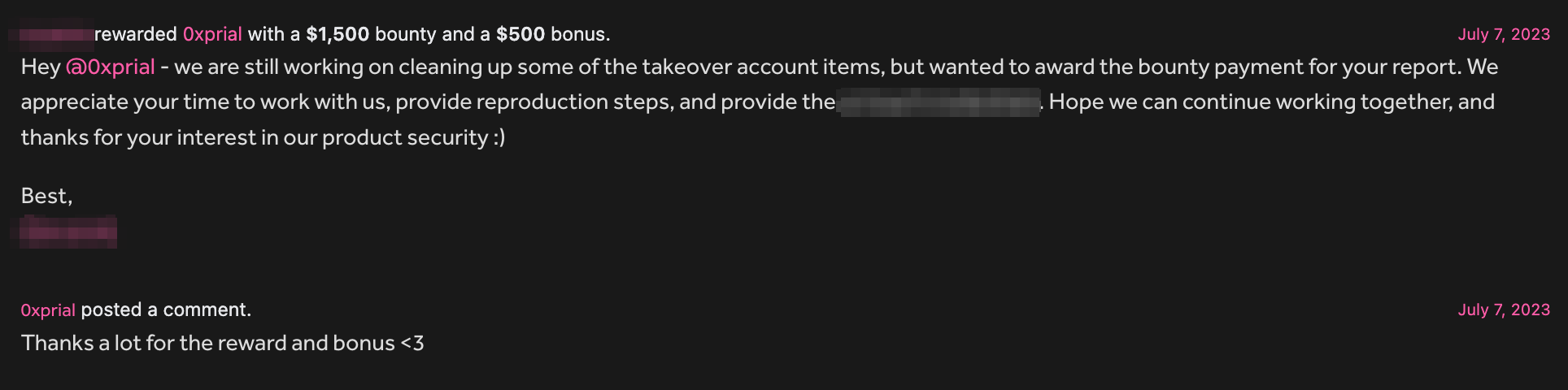
With all these pieces of information, I created a report on their Bug Bounty program and within one working day, they took the necessary information to fix this issue and Paid a $1,500 bounty and a $500 bonus according to their payout table under Critical severity.
./logout

3 Responses
Nice Explanations with poc!!
Take ????
Boss Public ????????????
Easy to understand thanks for sharing awesome finding